Doc2Lesson
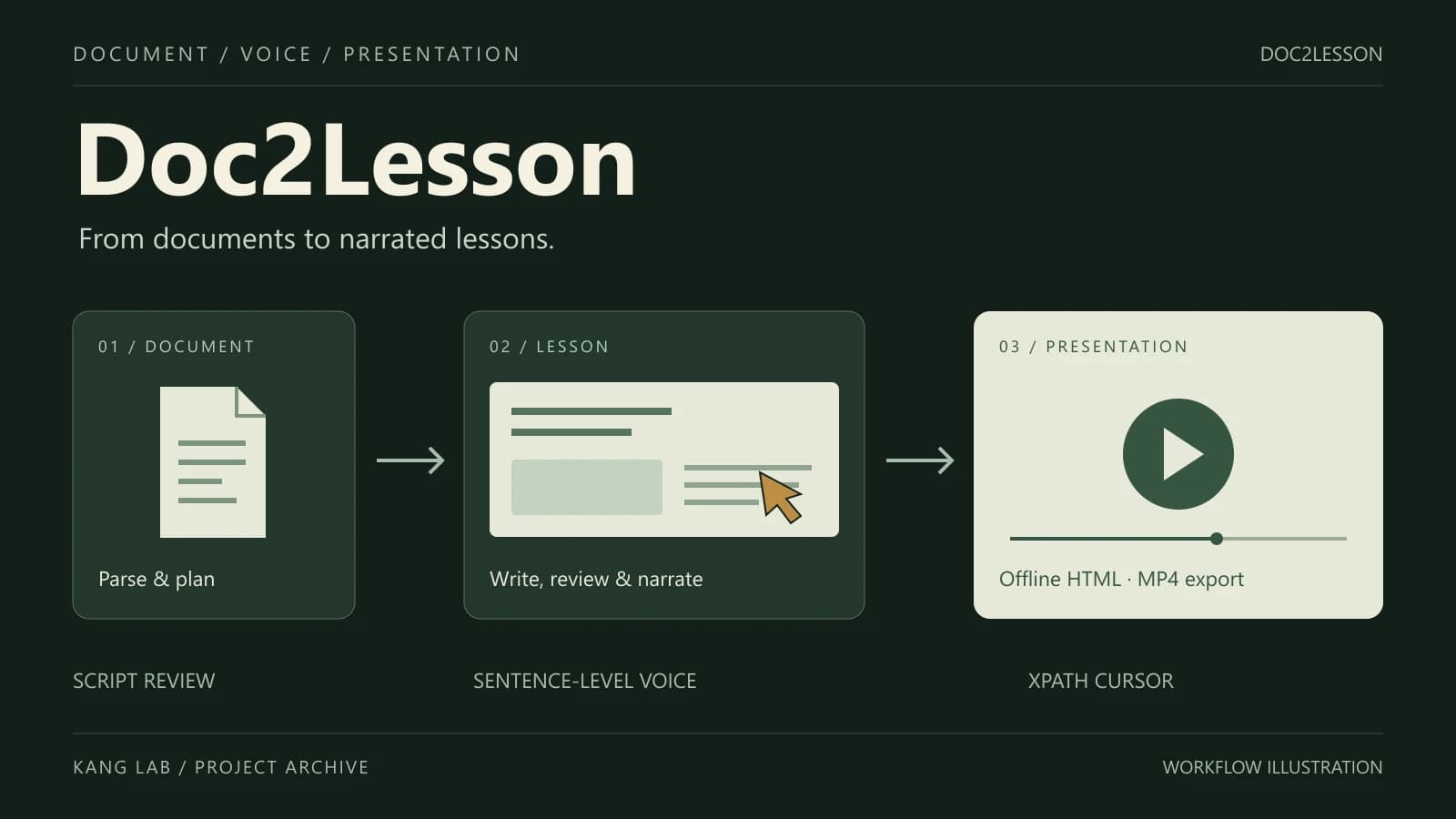
Turn papers, textbooks, and documents into offline HTML lessons with narration, subtitles, a virtual cursor, sentence-level review, and on-demand MP4 export.
- Year
- 2026
- Status
- Active
- Categories
- ai / web / python / tool
- Updated
- 2026.11.05
- Python
- FastAPI
- React
- TypeScript
- Remotion
- OCR
- TTS
On this page
Overview
Doc2Lesson is a local workspace for turning papers, textbooks, and other documents into narrated lessons. It connects document parsing, lesson planning, HTML slide generation, and script review, then arranges narration, subtitles, and a virtual cursor on a shared timeline. The default deliverable is an offline HTML presentation, with MP4 export available on demand.
The project grew from Paper2Video's paper-to-video workflow into a document teaching tool with editable scripts and browser-based presentations. Human review is a dedicated stage, allowing page content, narration, and cursor targets to be checked before synthesis.
Problem
Presenting a document involves reorganizing content, designing pages, writing narration, recording audio, and synchronizing subtitles and visual pointers. Even after generating those materials separately, page-to-script correspondence, audio duration, and cursor placement still need coordination. Document revisions require those connections to be checked again.
Doc2Lesson connects these steps in a workflow with visible progress, review, and continuation, retaining intermediate artifacts so adjustments can be traced to the relevant stage.
Features
- Document-aware parsing. Accepts PDF, Word, LaTeX, and plain text. Native Word, LaTeX, and text use direct extraction, while PDFs and converted Word files can use OCR or visual parsing. Both paths produce a common text-and-figure representation.
- Lesson planning and HTML slides. Organizes teaching content into controlled page structures and previews, then writes scripts against the actual pages.
- Sentence-level script review. Separately edits spoken text, tone, cursor XPath, and post-sentence pauses before synthesis continues. Tone guides speech, while subtitles use the spoken text.
- Narration and timing. Configures local models or compatible APIs by role, with reference voices and local Qwen3-TTS, CosyVoice3, and HybridEmo support. Actual sentence audio boundaries drive subtitles, pauses, and cursor timing.
- Structured cursor targets. Selects XPath expressions from real page target lists and checks that each target is unique and visible during rendering. Targets include list items and table cells.
- Offline presentations and video export. Bundles pages, audio, images, subtitles, and fonts into a single HTML file. Optional MP4 export reuses the lesson components and timeline.
- Tasks and quality checks. Provides a serial queue, progress tracking, artifact management, caches, and recovery entry points, with optional quality evaluation, question-answer validation, and feedback-driven repair.
Architecture
React / TypeScript workspace
          | HTTP / SSE
          v
FastAPI task management and serial queue
          | subprocess execution
          v
Document parsing -> Lesson plan and HTML slides -> Script review
                                                       |
                                                       v
                                       Narration and audio timeline
                                                       |
                                                       v
                                        React / Remotion components
                                           |- Offline HTML presentation
                                           `- On-demand MP4 export

Shared support - Model connections, task snapshots, media caches, evaluation
Python handles document processing, model adapters, and task orchestration. React and TypeScript provide the workspace and lesson components, while Remotion handles video rendering. Avatars and speech alignment are configurable. Word-level timing within a sentence can use proportional estimates when speech alignment is disabled.
Engineering decisions
- Establish pages before writing scripts. Scripts bind to actual page IDs and target lists. Review checks the page version to catch cursor targets invalidated by structural changes.
- Store tone, text, and pauses separately. Subtitles and narration share the spoken text. Tone is passed independently to instruction-capable speech models, and pauses become actual silence on the timeline.
- Reuse audio according to what changed. Text or tone changes regenerate the affected audio chunks. Cursor or pause changes reuse sentence audio and rebuild the arrangement.
- Deliver playable HTML first. The default workflow finishes after producing HTML, and video rendering runs when requested. Embedded media and fonts increase the HTML file size.
- Configure local and API execution by role. Text, vision, speech, and evaluation have separate execution choices. Specialized OCR, speech, and avatar models retain their dedicated adapters.
Development and status
Repository development records begin in September 2026. The project adopted the Doc2Lesson name in November 2026 and remains in active development, with HTML presentations as the default output. The historical LaTeX slide-output workflow has been archived, while LaTeX document input remains supported.
Project logs record frontend tests, type checks, builds, and targeted validation of script contracts and timelines. Model output and runtime depend on the input, configuration, hardware, and service. Existing evaluation includes model-proxy question answering and does not establish learning gains for real learners.
Credits
The project extends Show Lab's Paper2Video / PaperTalker work. Upstream papers, benchmarks, and models retain their respective credits. This entry describes the workspace, teaching workflow, and HTML presentation features implemented in this repository. Upstream repository
The cover is a workflow illustration using the project's colors. This entry includes no real task files, reference recordings, or account configuration, and provides no public runtime endpoint.
Related Projects